User guide
Frequently asked questions
Answers to the most common questions about Frantz Business Manager.
Answers to the most common questions about Frantz Business Manager.
No questions match your search.
Log in at business.frantz.no. Use your email address as your username.
New users need to contact us at post@frantz.no to get an account set up. To speed things up, please include:
User accounts are created by Frantz. Send an email to post@frantz.no with the colleague's name, email address and role, and we'll set up access. Your colleague receives an email with login details once the account is ready.
If you used a previous version of the platform, you need to set up a new password. Your email address is the same, only the password needs renewing, which is why you use "Forgot password" rather than "New user". The button is on the login page below the Log in button.
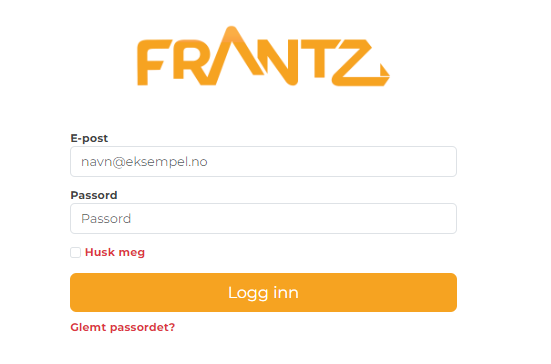
The "Forgot password" button is below the Log in button on the login page.
Log out and use "Forgot password" on the login page. You'll receive an email with a link to set a new password. The link is valid for a short time, so use it as soon as it arrives.
Go to "Campaigns" in the left-hand menu. All your campaigns are listed here, sorted by status.
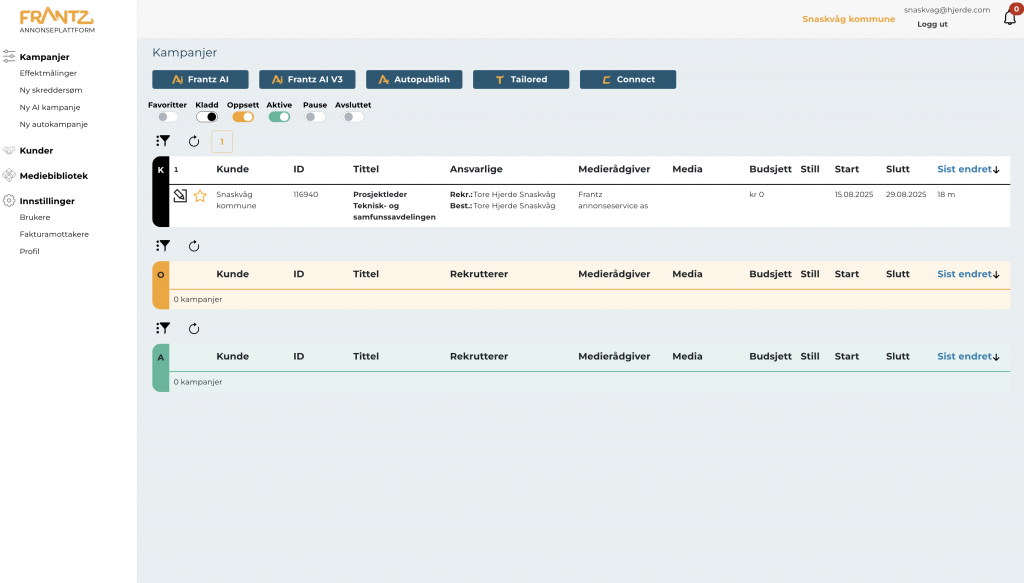
The campaign overview shows all campaigns sorted by status.
Campaigns can have the following statuses:
Use the toggle switches at the top of the campaign overview to filter by status. You can also enable Favoritter (Favorites) to show only campaigns you have marked as a favorite.

The status filters at the top of the campaign overview (labels are shown in Norwegian).
Click on the campaign name or the icon on the campaign card to open the detail view. Inside you'll find several tabs:
For campaigns that are still drafts, you can keep editing or send the campaign to setup.
Frantz AI is the self-service solution for data-driven job marketing. Enter the job title and work location, and the AI builds a complete campaign strategy in seconds, with suggested channels, audiences and budget allocation.
The strategy is based on 90 days of behavioural data (which positions people have viewed, clicked on and shown interest in over the last 90 days) from similar roles, so the recommendations are grounded in what has actually delivered results.
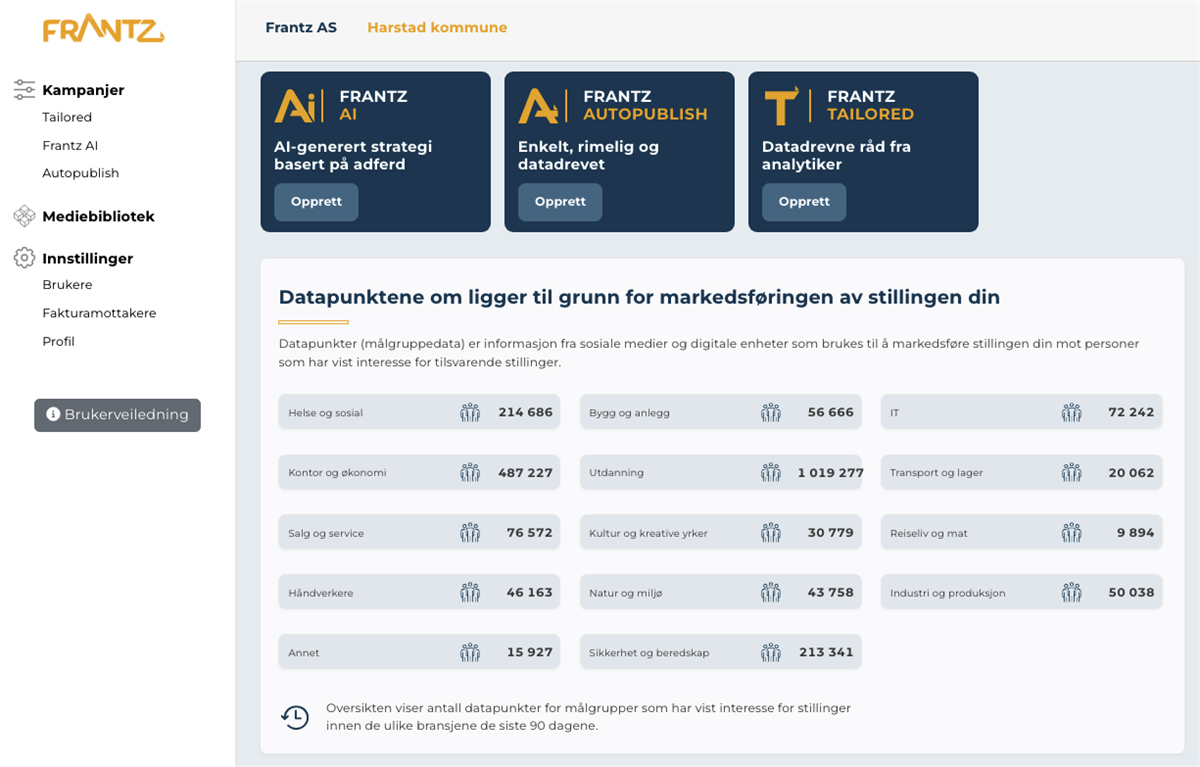
The Frantz AI start screen where you enter the job title and work location.
Here is how to get started:
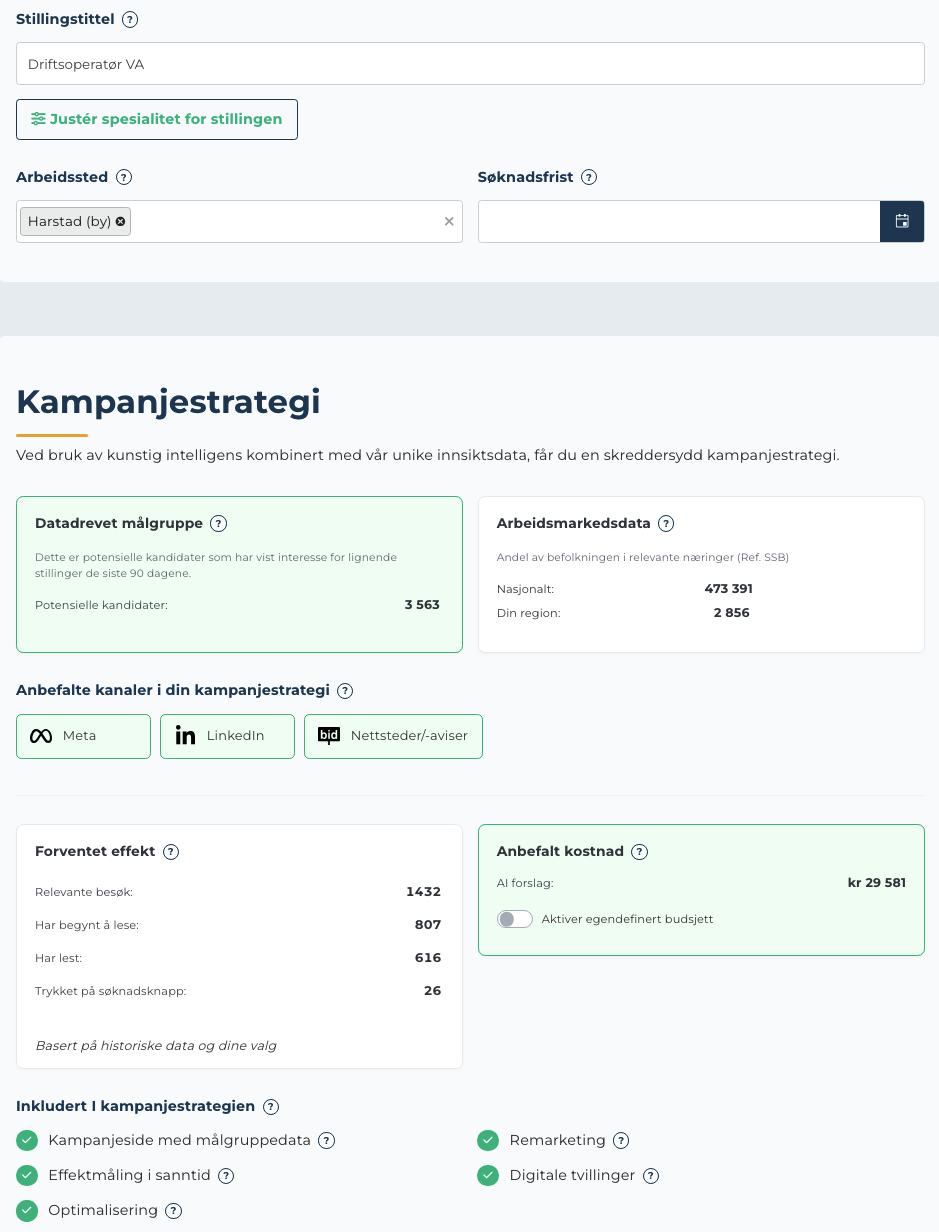
The AI presents a complete strategy with channel choices, audiences, and budget recommendations.
The AI selects channels based on what works best for your specific position. Available channels are:
Frantz AI is the right fit when you:
For critical hires, leadership roles or narrow specialist positions, where human judgement and close follow-up matter, we recommend Frantz Tailored.
Frantz Autopublish is a self-service ad builder for giving a job ad extra visibility on Meta (Facebook, Instagram and Messenger). A simple wizard lets you compose the ad itself, image, logo, headline and text fields, with a live preview that shows exactly how candidates will see it.
When you publish, the ad runs for 14 days, targeted at candidates who have shown interest in similar positions. After the campaign ends you receive an insights report.
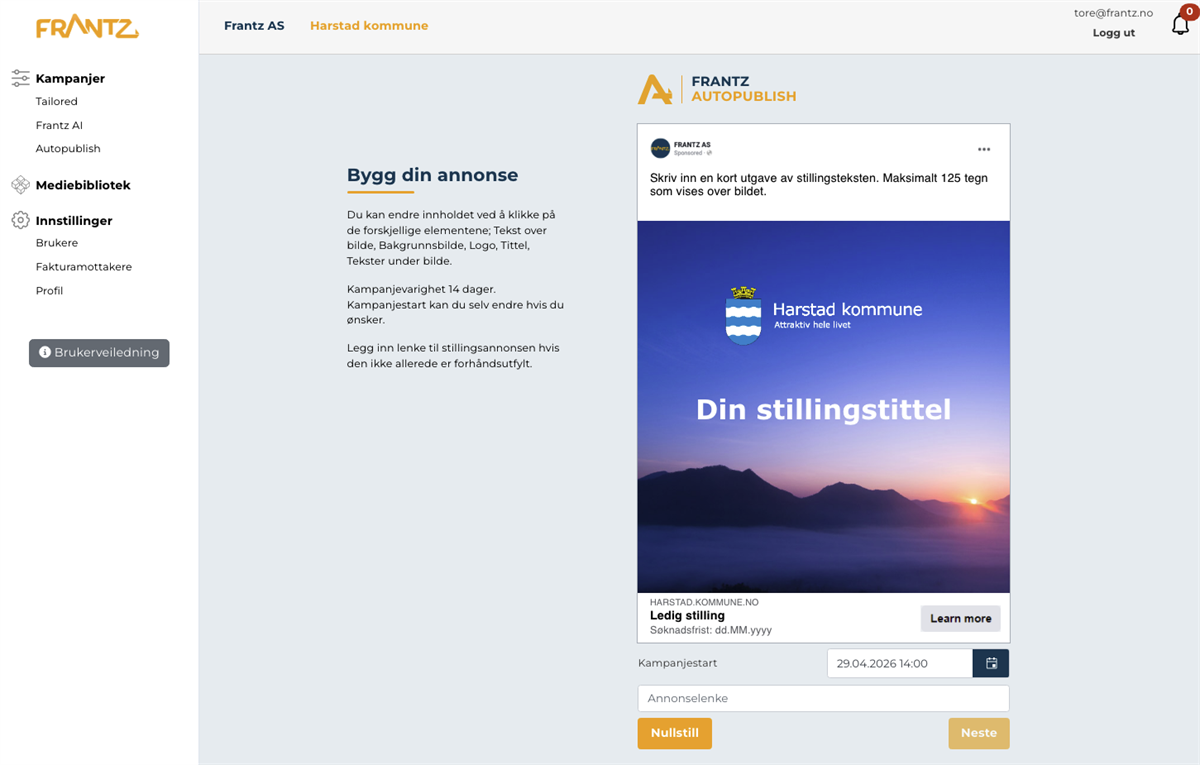
The Autopublish start screen with the wizard and live preview.
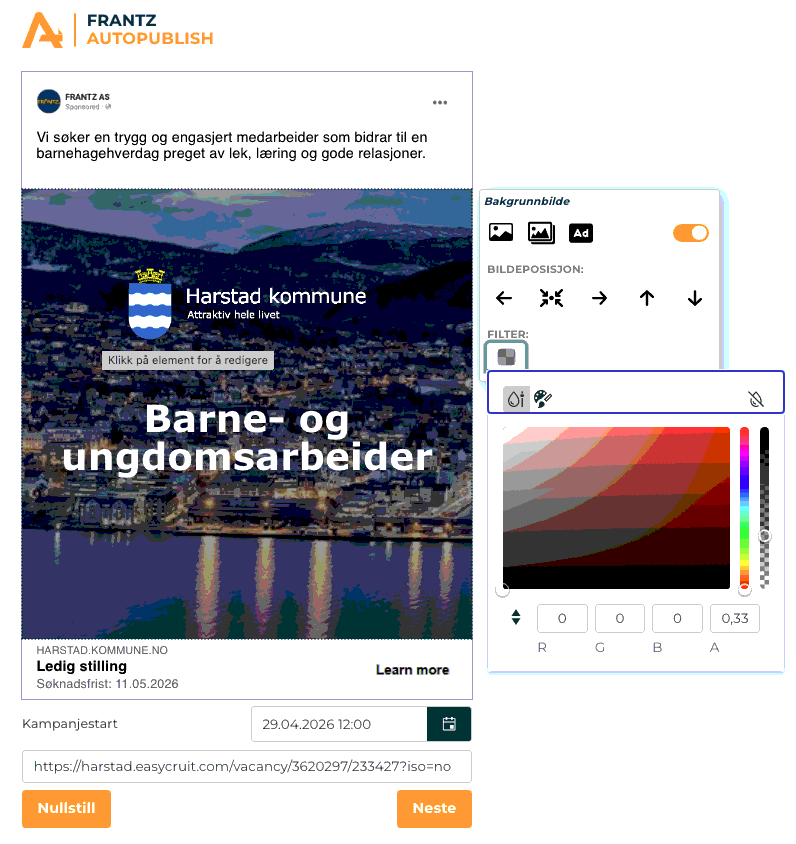
In "Build your ad" you click on the elements you want to change, and the preview updates as you work.
The campaign runs for 14 days. The duration is chosen because Meta's algorithm needs a few days to learn which candidates respond best, and 14 days gives good reach without making cost per impression too high. After it ends you receive a complete insights report with performance data.
Autopublish distributes the campaign across Meta's platforms: Facebook, Instagram and Messenger. The ad shows up in feed, stories and reels depending on what suits each candidate best. We use Meta because it's where the audience is most active in their downtime, where job hunting often starts.
Autopublish is a standardised fixed-price campaign on Meta that runs for 14 days. It's the right choice when you want to give a single job ad a boost without setup work.
Frantz AI builds a tailored strategy across Meta, LinkedIn, Snapchat and programmatic advertising, adapted to each individual position. It fits when you recruit at scale and want a broader channel mix.
Frantz Tailored is our most comprehensive solution, combining behavioural data with human expertise. A dedicated analyst gets to know the position, builds a bespoke marketing plan based on the data platform, and follows the campaign from strategy to final report.
Tailored is best suited for critical hires, leadership roles and specialist positions where precision and close follow-up are essential.
Click "New Tailored" to start the ordering process. Fill in the form with details about the position and upload any relevant files if needed.
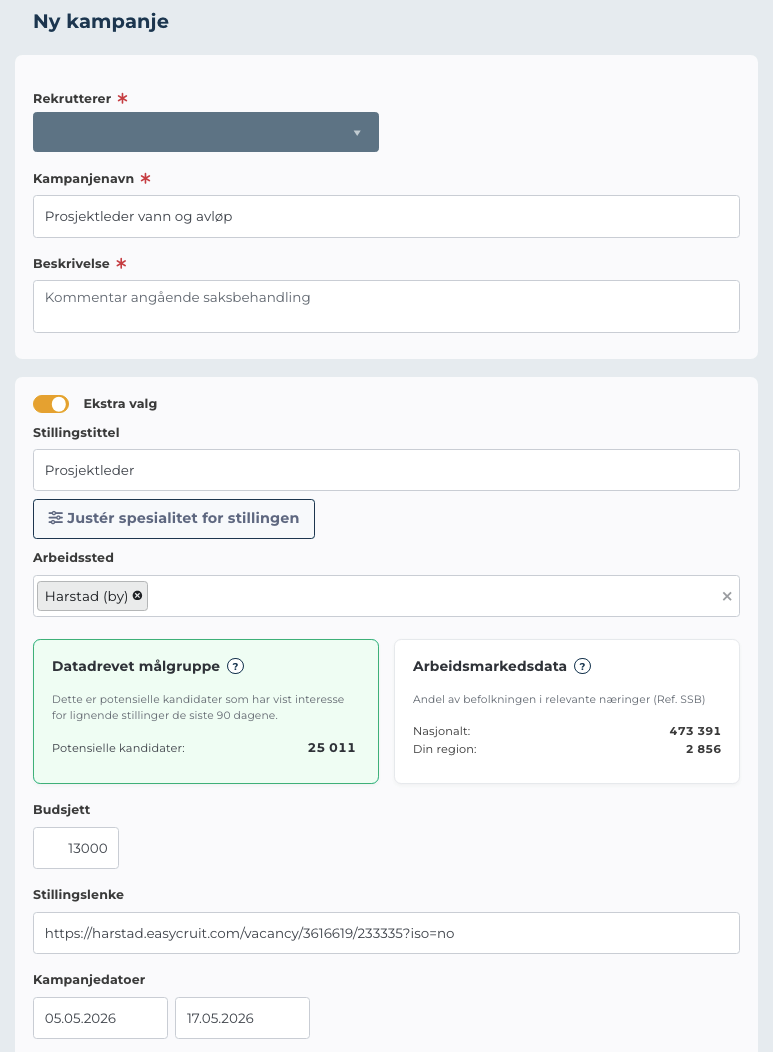
The order form for Tailored campaigns.
Once the form is complete, a "Place order" button appears. You can also save at any point with "Save draft".

You decide how detailed you want to be:
Frantz puts together a strategy proposal with two main parts:
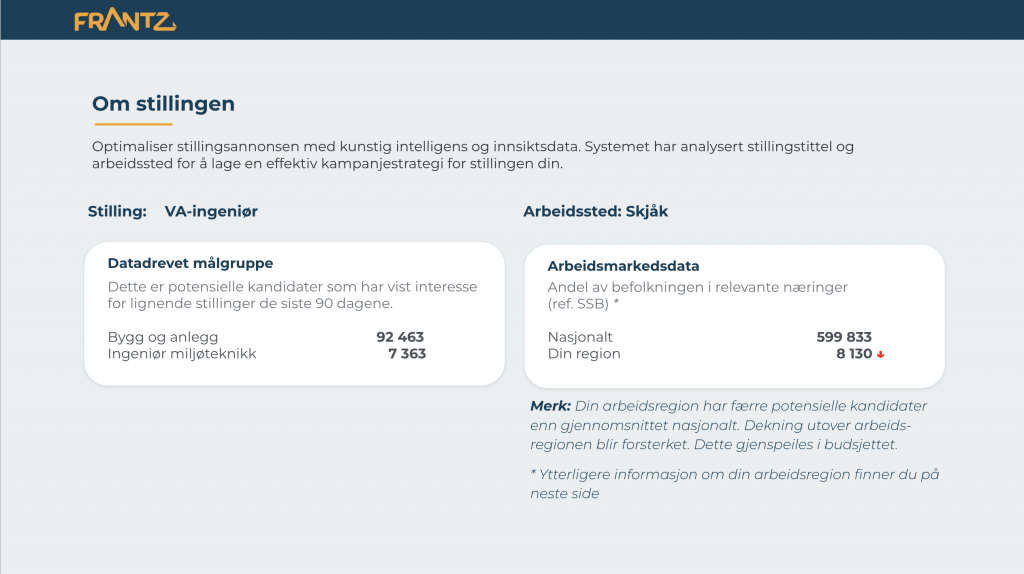
Position data with labour market statistics.
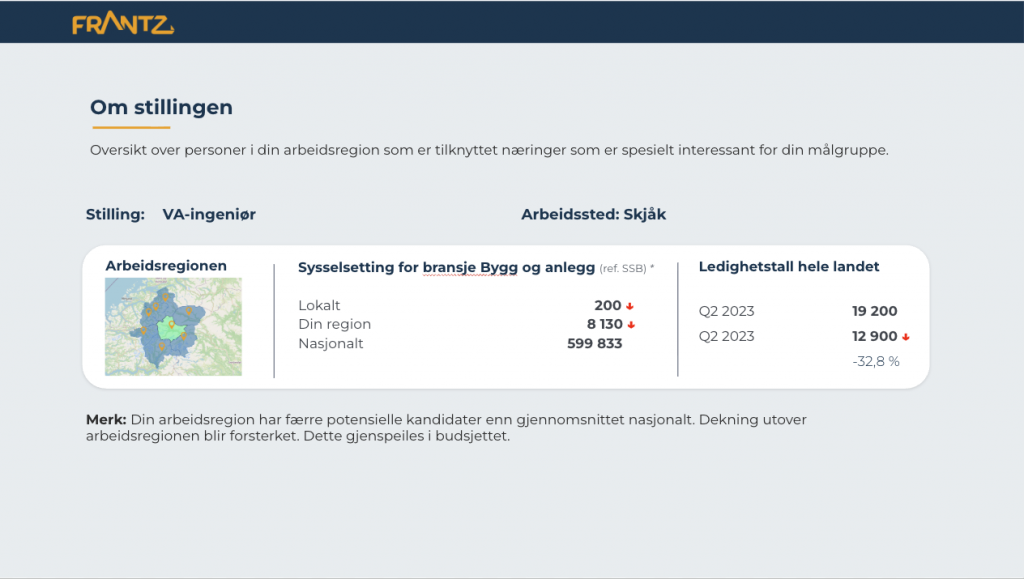
Detailed labour market data for the target audience.
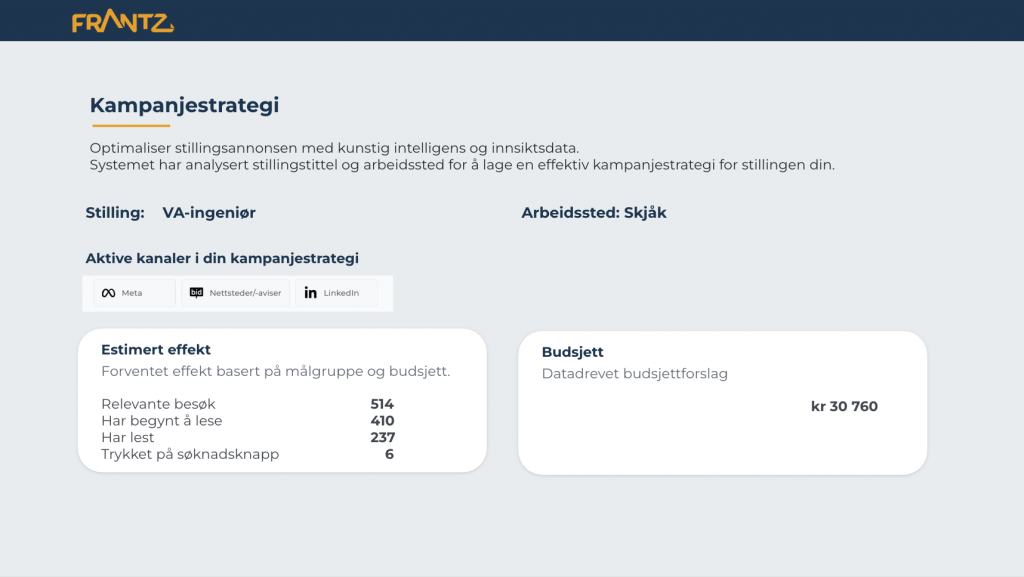
Campaign strategy with budget and channel recommendation.
You can give feedback on the proposal, whether you approve it or would like adjustments.
You'll typically receive the strategy proposal within a few business days of placing your order. The timeline depends on the level of detail in the order and the complexity of the position. If it's urgent, mention it in the order form and we'll prioritise.
Yes. Get in touch with your analyst and you can adjust audience, message, channel mix or budget while the campaign is live. Larger changes may affect performance briefly while the algorithms adapt, but that's usually a small cost compared to landing on a better fit.
Lead Generator captures candidates who visit the job ad but don't apply right away. The candidates get a low-friction way to express interest, on a consent basis, so you can follow up later.
It is particularly useful for specialist roles, talent pipelines and industries with few active applicants.
Lead Generator is included as standard in Frantz AI and Frantz Tailored. You can switch it on for each individual campaign, or leave it on by default for all new campaigns.
Campaigns with Lead Generator show interested candidates in a dedicated candidate list on the campaign page in Business Manager. You don't need to switch between systems to follow up.
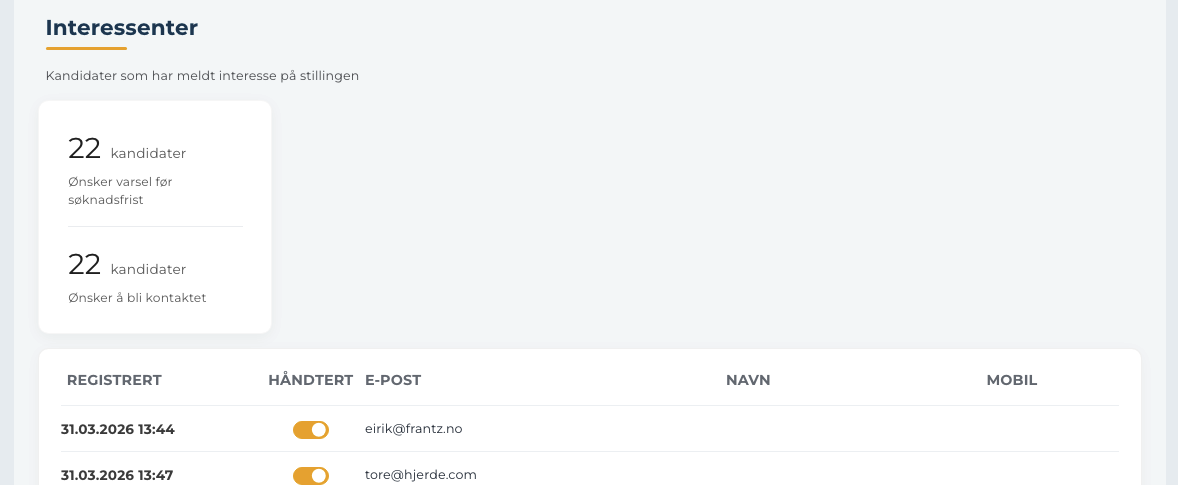
The candidate list lives on the campaign page in Business Manager.
In the candidate list you can mark candidates as "contacted" to keep things organised. The status is visible to the whole team, so everyone can see who has already been followed up. You can undo the mark at any time, and no automatic message is sent to the candidate when you mark them.
Lead Generator is built to be GDPR-compliant from start to finish:
Open the campaign and go to the "Insights" tab. Live key metrics are shown here while the campaign is active:
Active campaigns are shown with a green status in the overview.
When the campaign ends, all results are gathered into a final report on the campaign page under the "Insights" tab:
The report gives you a basis for adjusting the setup of the next campaign.
Connect is a feature for integration customers that lets you place a small tracking function (a tracking pixel) on your own websites. It measures what happens after a candidate clicks the ad, for example whether they complete the application or visit other pages. This gives you the full path from ad to application, not just the clicks.
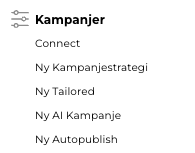
The Connect section under Campaigns in the menu.
You can create a tracking measurement in two ways:
In Business Manager:
Via API: Tracking measurements can also be created programmatically under a ConnectID through the GetPixelScript endpoint in the Frantz API. This is useful for partners who want to set up measurement automatically from their own systems.
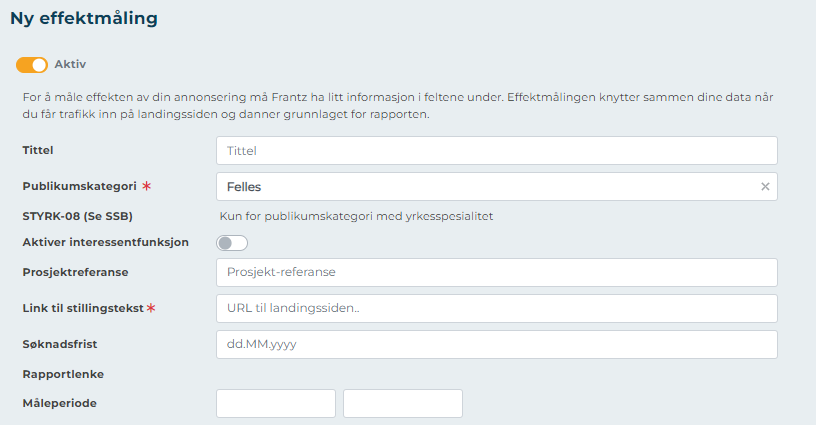
The "New measurement" form under Connect.
Yes. Frantz offers a REST API for partners and integration customers at api.frantz.no. With the API you can:
The API is typically used by ATS vendors, job platforms and customers who want to automate campaign management from their own systems.
The full API reference is at api.frantz.no/help. You'll find every endpoint, parameter, sample request and response schema there.
If you need an API key or help getting started, contact us at post@frantz.no.
Authentication is a two-step process:
GET api/Partner/Auth?apiKey={apiKey} with your API key to obtain an access token.The token is valid for 30 days. After that you'll need to call Auth again to refresh it.
The POST api/Partner/GetPixelScript endpoint creates a new ConnectID and returns a ready-made tracking script (FrantzPixel) that goes in the <head> of the landing page.
POST api/Partner/GetFrantzSegments.POST api/Partner/GetPixelScript with the audience ID.The ConnectID is the unique identifier for the tracking measurement, and the same ID is used later when activating the campaign or fetching statistics.
Use POST api/Partner/GetCampaignStatistics to fetch live numbers and a link to a white-labelled insights report.
We recommend calling the endpoint once per day after 7:00 AM so you get complete numbers for the previous day. You can call it more often, but the figures will be partially updated while the day is still in progress.
The platform runs on Microsoft Azure in regions within the EU/EEA. All primary data, both structured (Azure SQL) and event data (Cosmos DB), is stored within the EEA.
Any transfers outside the EEA, typically through the advertising platforms Meta, LinkedIn, Snapchat and Bidtheatre, are consent-based and protected by Standard Contractual Clauses (SCC).
The information security framework is built on the principles of ISO 27001, with an operational ISMS covering access control, risk management, incident response and supplier management.
Yes. Frantz is fully GDPR-compliant:
A standard DPA is available on request.
The tracking script (frantzTech.js) splits consent into three categories:
Third-party pixels from Meta, LinkedIn, Snapchat and Bidtheatre are activated only after explicit consent. Consent is stored with timestamp, policy version and scope. If consent is withdrawn, third parties are deactivated immediately and tracking data is cleared.
We have a documented incident response process with clear roles and timelines:
In the event of a personal data breach, the Norwegian Data Protection Authority is notified within 72 hours where required, and affected customers are notified immediately.
Contact us at post@frantz.no or call us on +47 75 50 49 00.